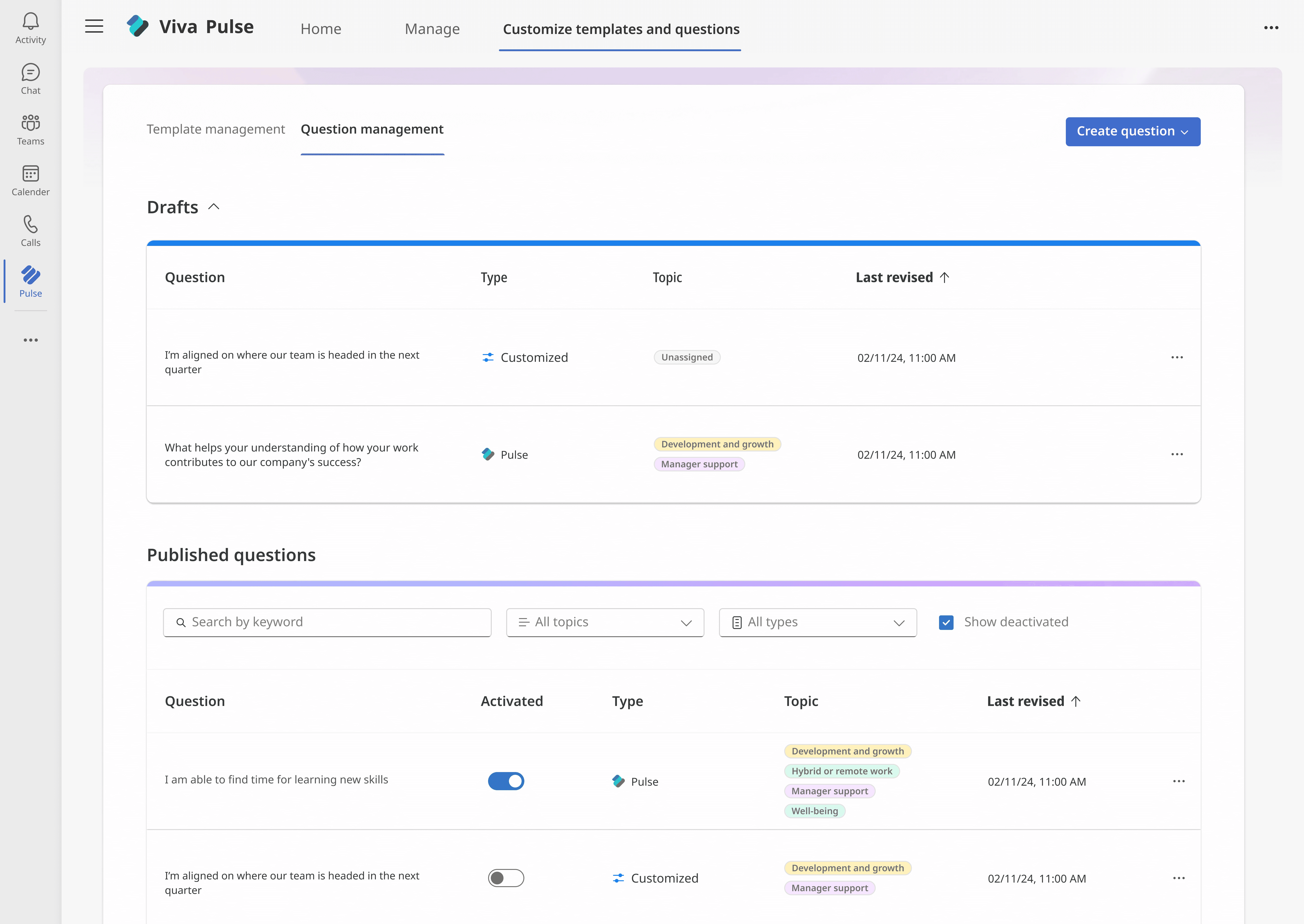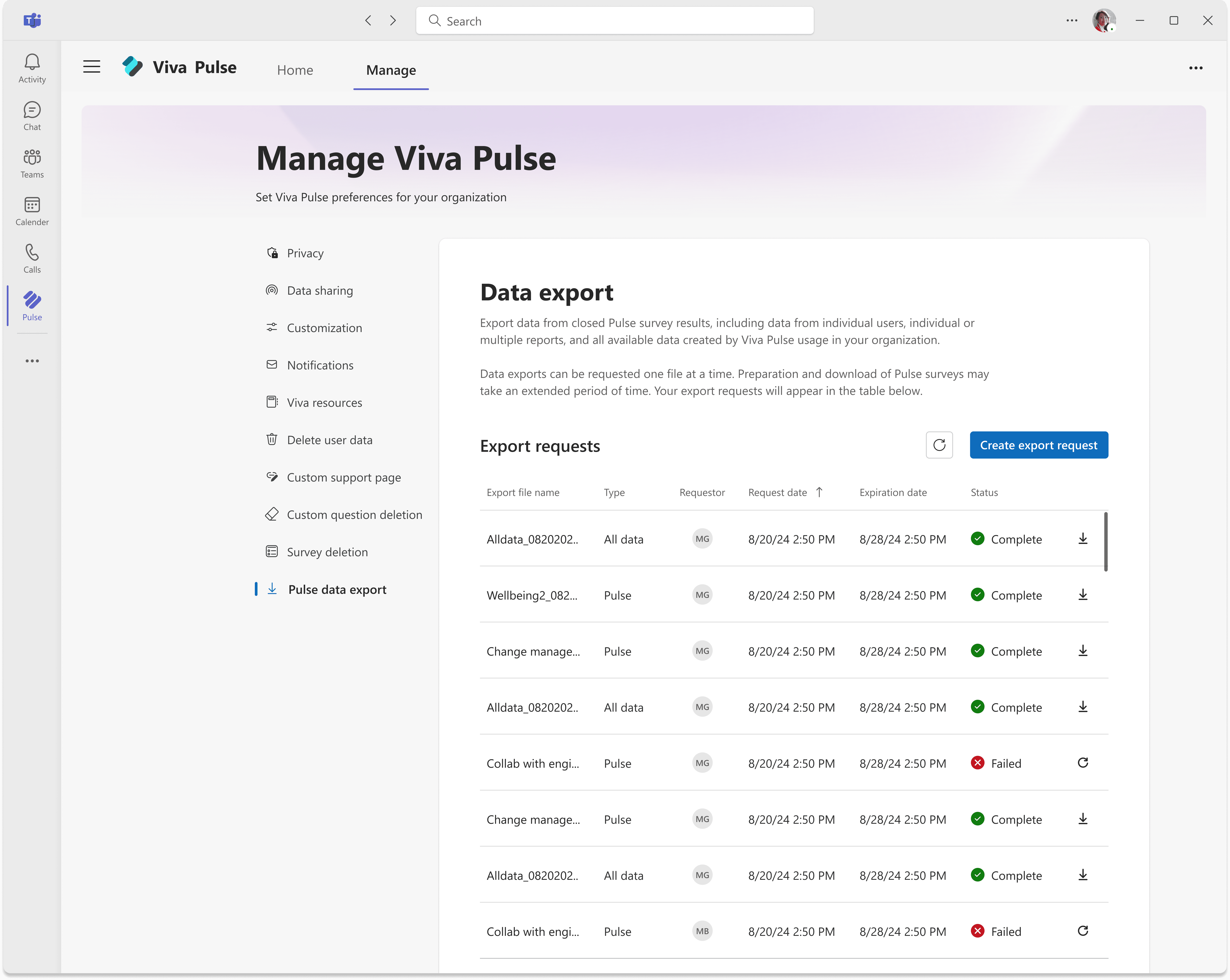
Multi-user data export
COMPANY
Microsoft
ROLE
Lead Designer
Duration
10 weeks
Team members
1 PM, 2 Engineers
Overview
The Pulse admin portal allows users to configure settings and manage data.
The data export feature within the portal is typically used by IT admins and HR admins to obtain data ranging from basic user content to eDiscovery & compliance requests.
Problem
Two admin types with different needs shared a single export interface that offered no guidance and eroded trust
The feature was responsible for an overwhelming 20.7% of support ticket requests and was a hinderance in an upcoming customer retention goal.
Solution
A design that integrated an improved guidance layer while still allowing users to operate within the same portal
Results
43% drop in tickets related to the feature
Adopted by 19 key customers
Constraints
A legacy framework that required the design to keep two users in the same portal
Data query limitations that required long wait times between requests
Discovery of a third, previously unaccounted for user type
01. The problem
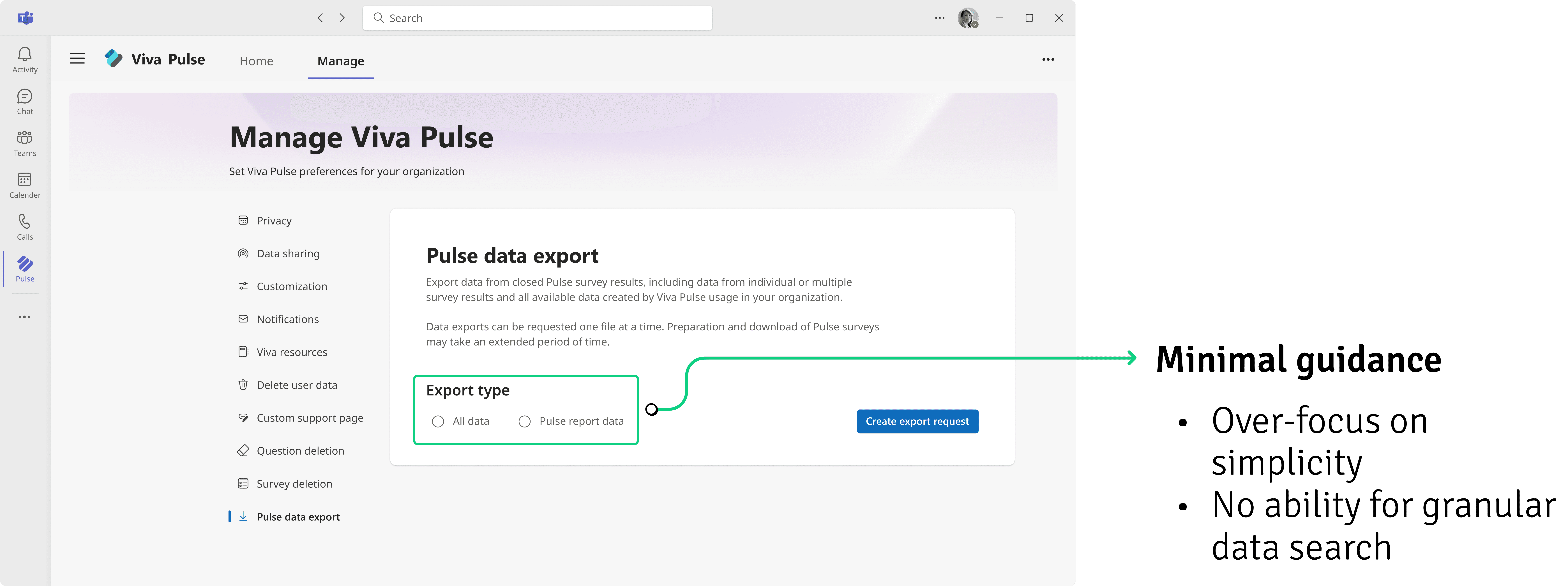
An over-focus on simplicity
1
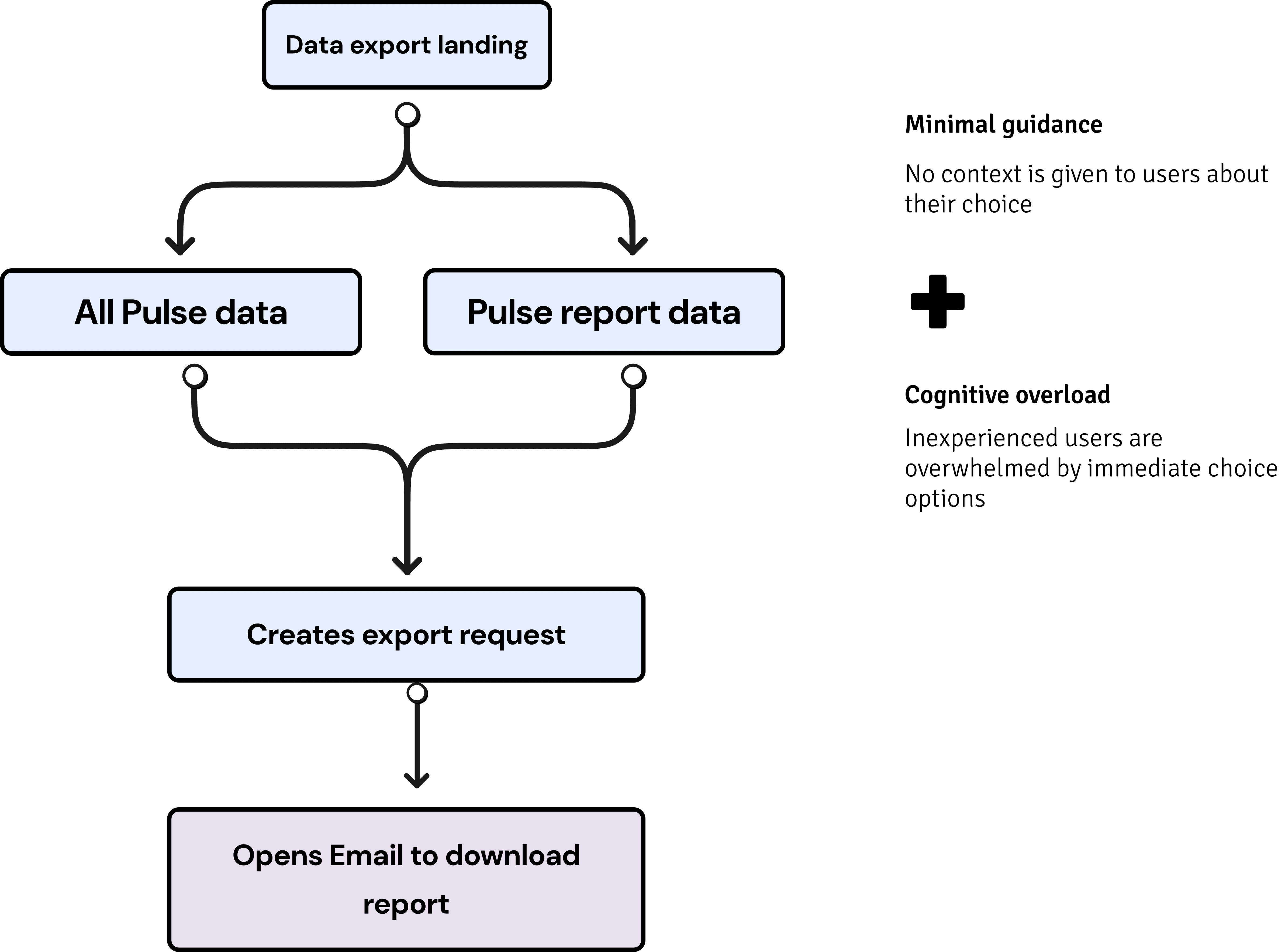
The existing designs focused on an interface that let users get their data exports in as little as two clicks.
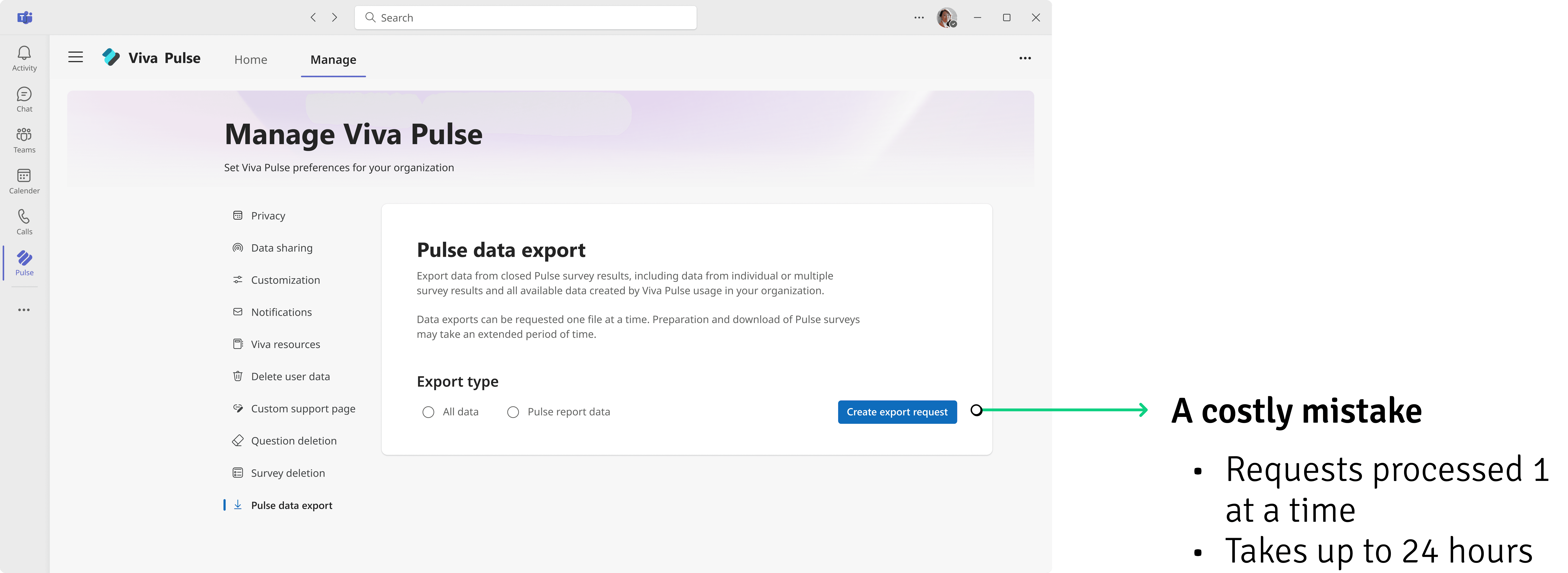
2
Due to technical constraints, a mistake made in submitting a request was impossible to fix, leading users to make a costly mistake
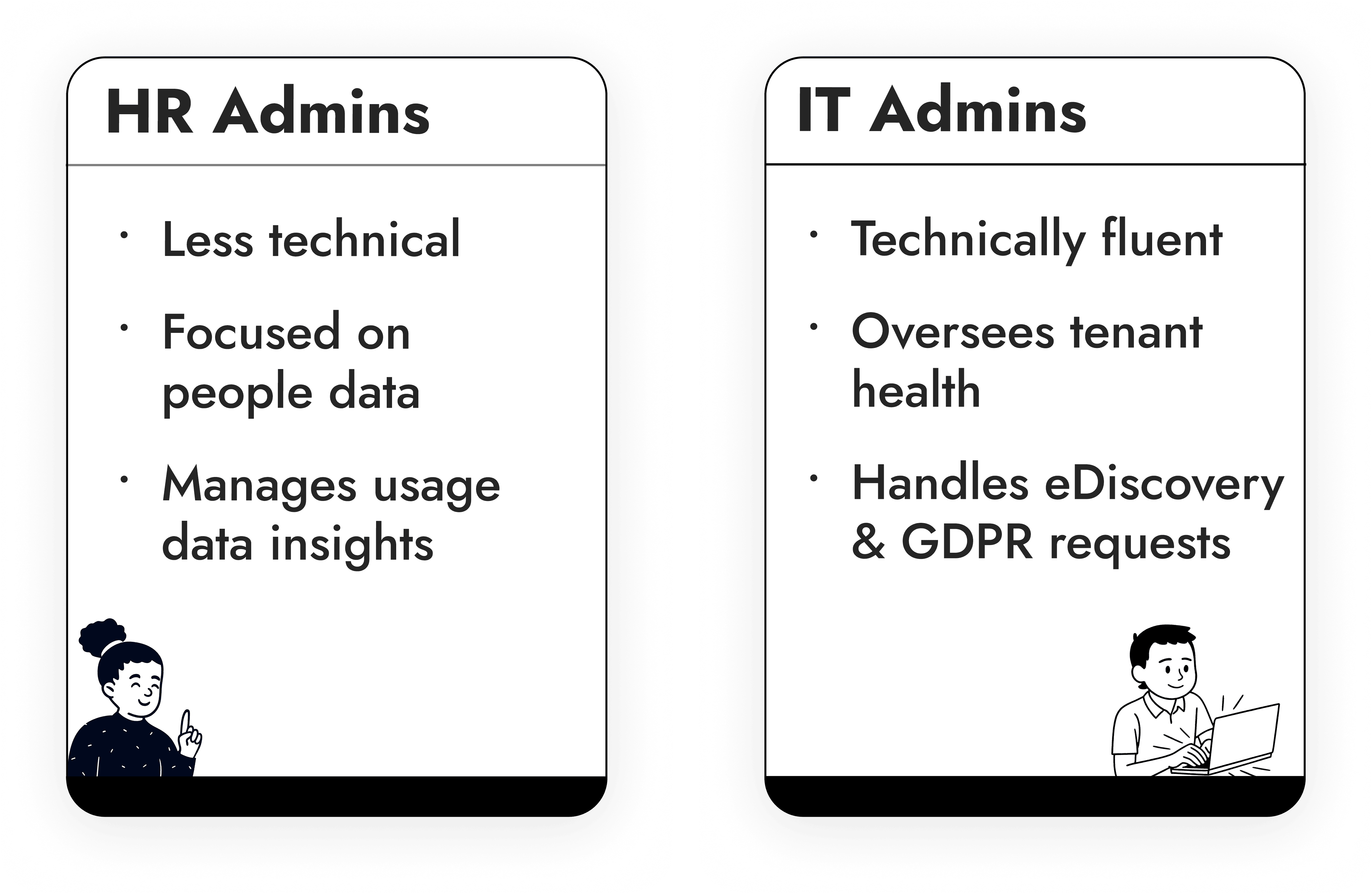
Two different users had access to the portal
Different users
The portal was used by two different types of admins who had some overlapping traits, but were distinct in the tasks they had to do and their technical fluency
02. Finding a solution
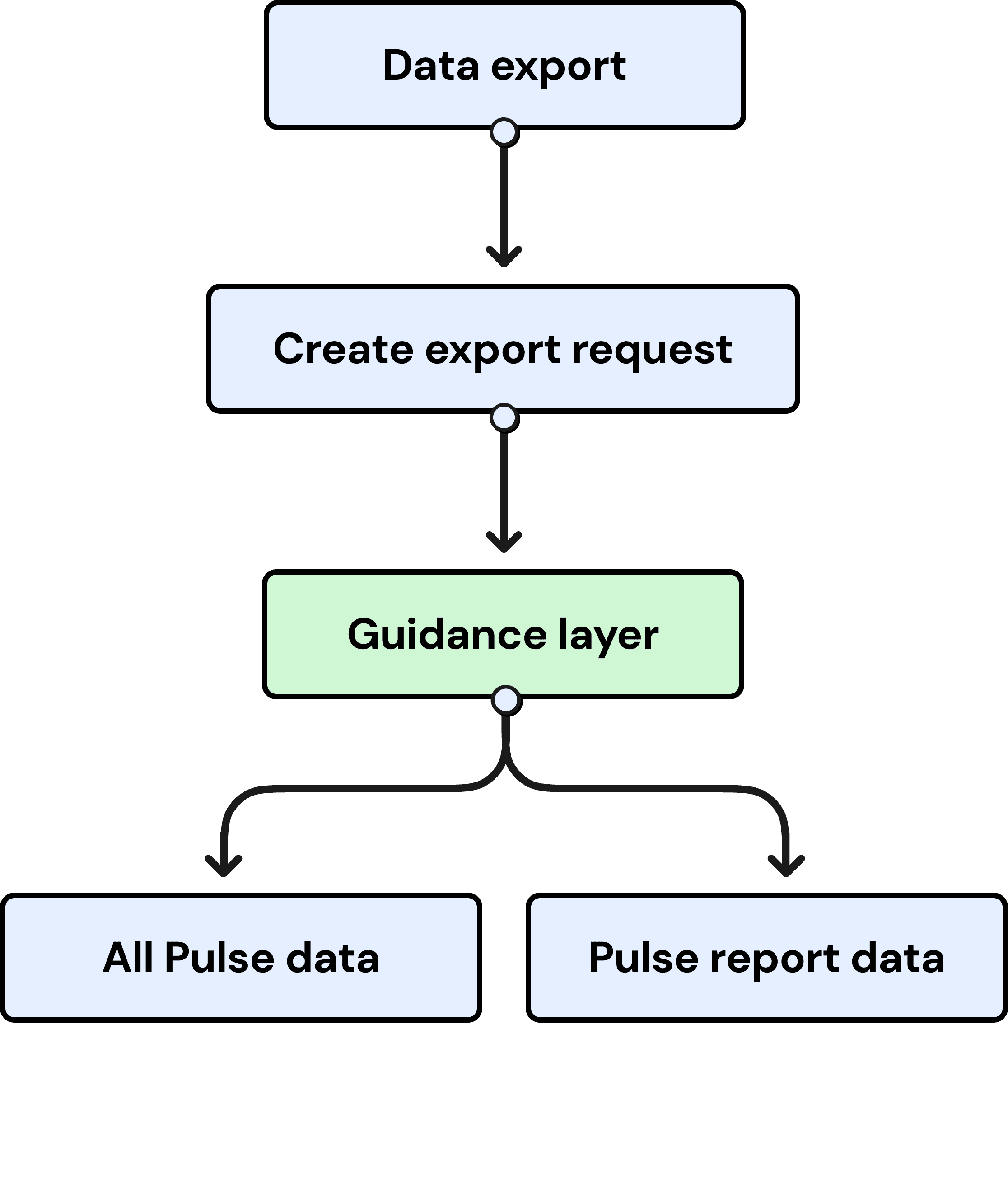
Giving users a 'soft landing'
Changing the page's structure
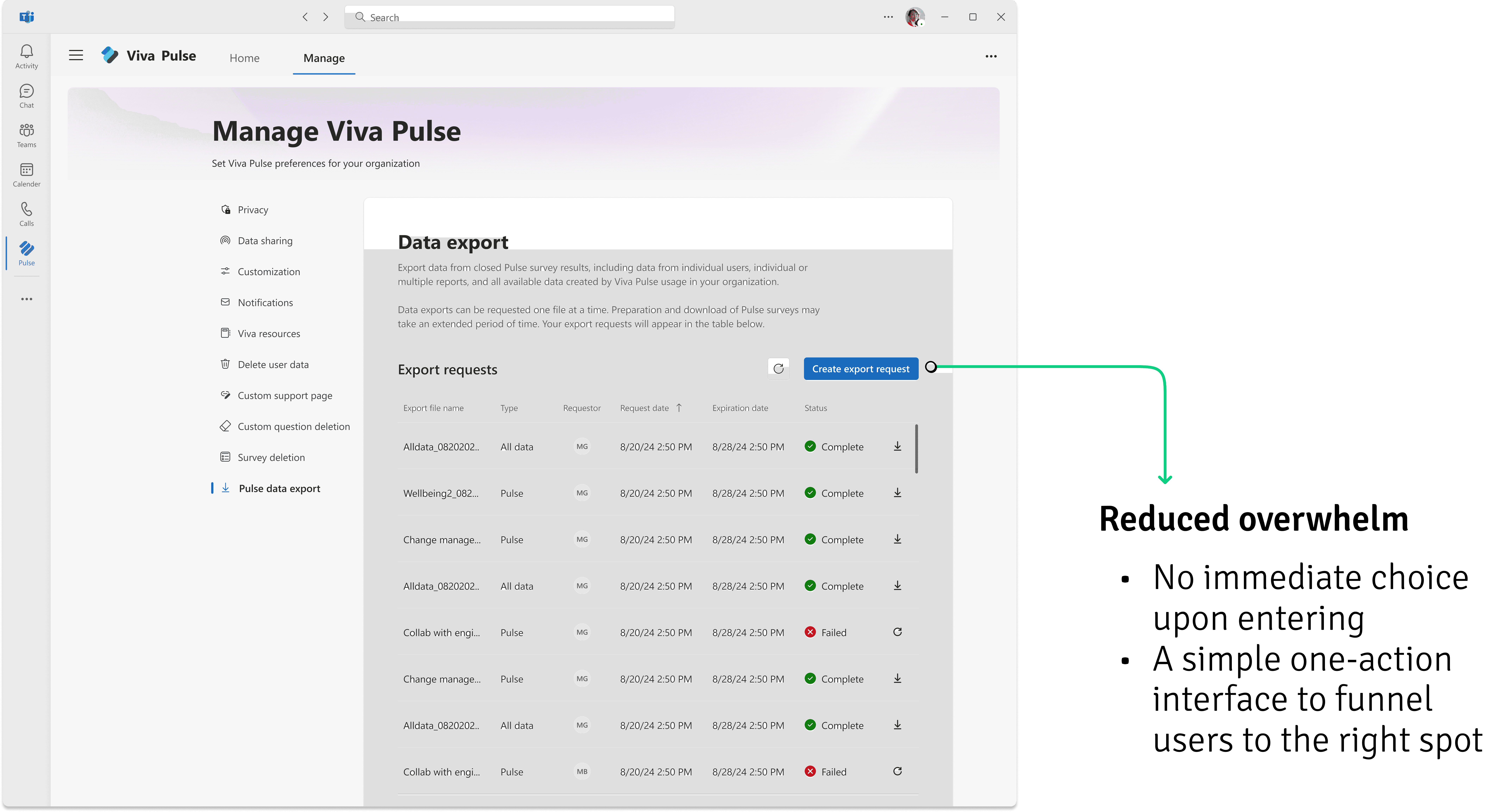
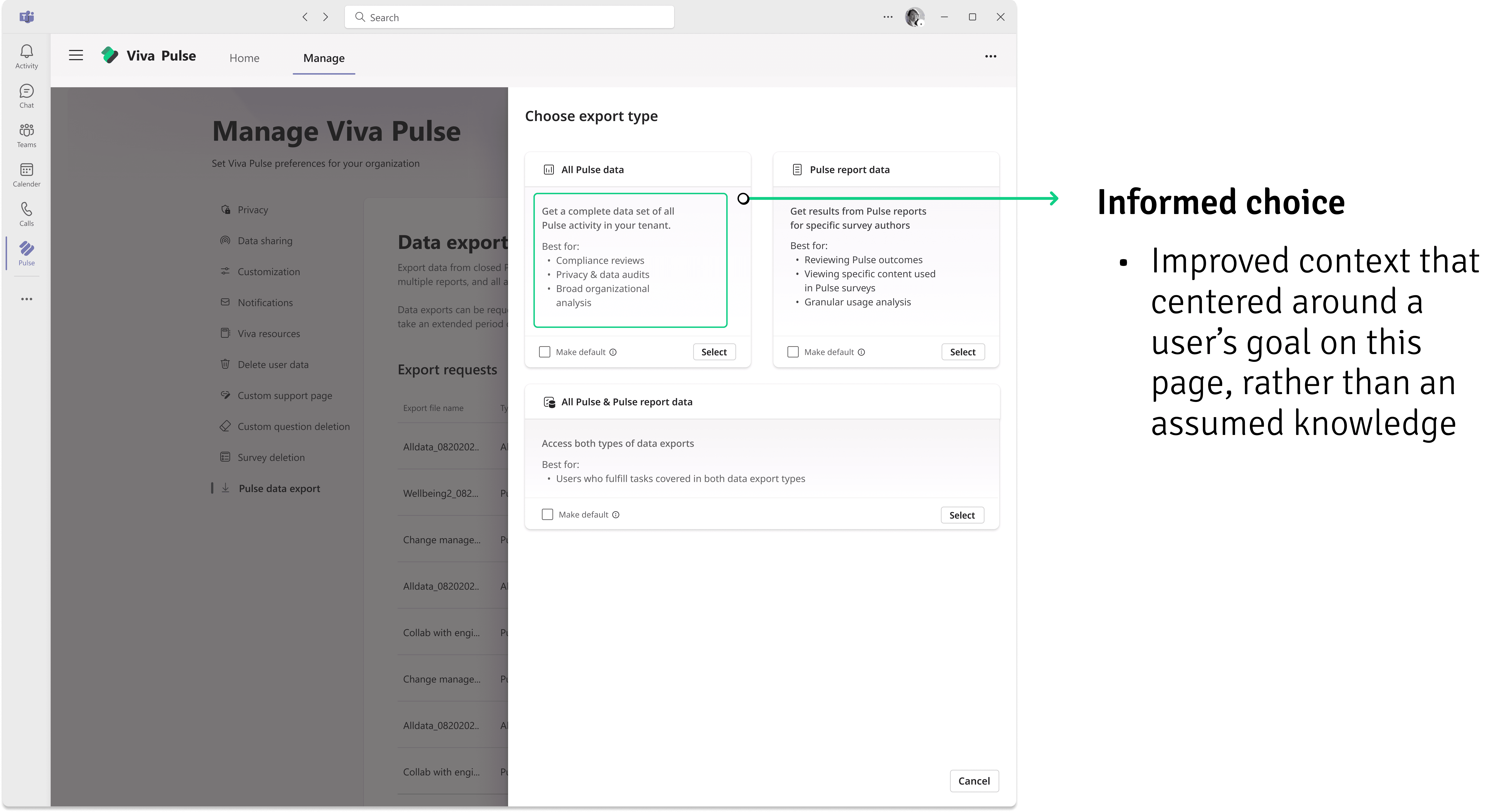
Based on user feedback, I identified that most user issues were occurring from users having to make an immediate and uninformed choice immediately at the landing page
To correct this issue I opted to create a 'soft-landing' layer for users where the page would use intentional friction to ease them into the experience and guide them once they started
03. Working through constraints
A backend constraint required a different approach
Role gating users to different experiences wasn't possible
My initial idea was to improve basic content on the page and then introduce a role-gating structure that would give each user type access only to the pages relevant to them.
However, a legacy backend framework required the design to keep users in the same portal for two reasons:
1
A new permission tier would be required in order to allow for HR admins to have their own separate access
2
The work behind building a new permission and adapting the admin portal to a new user type would be a huge infrastructure lift that could take months
With this in mind I moved towards a design that could work for all user types while still leveraging the same interface…
05. Final designs (+ Mobile designs)
Where we landed
1
Export landing
2
Side panel with 'guidance layer'
3
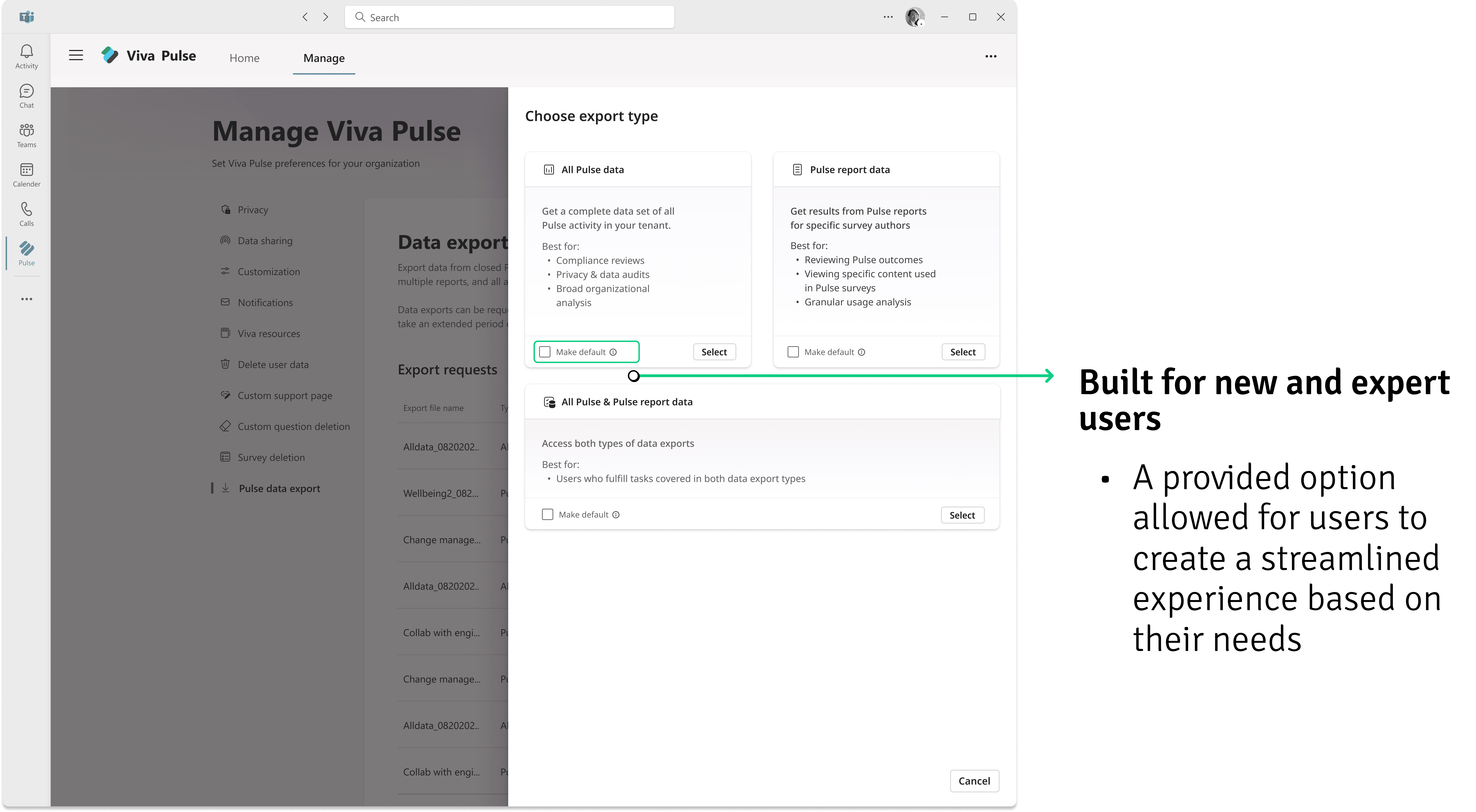
Designed for different user tiers
4
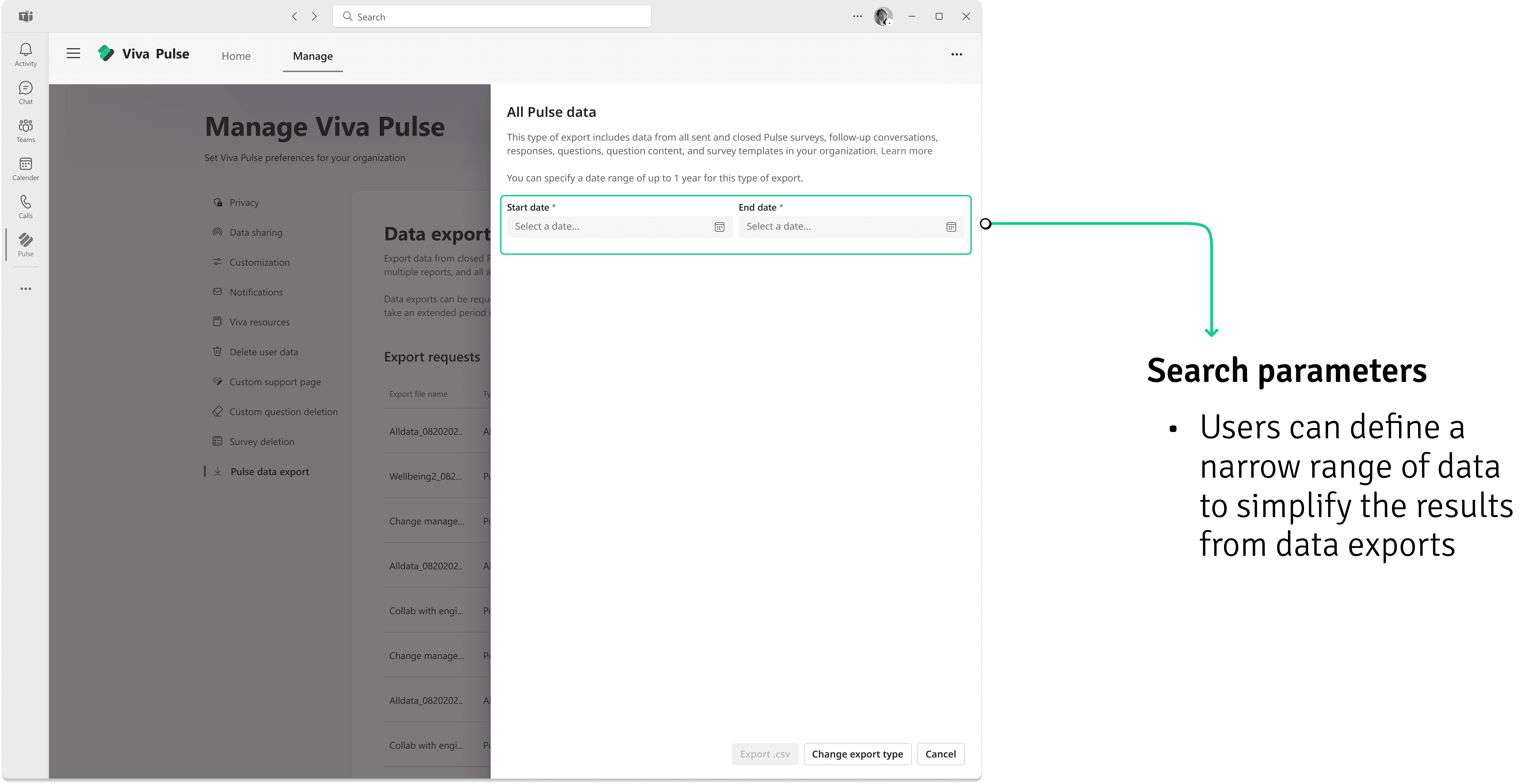
Specifying data
5
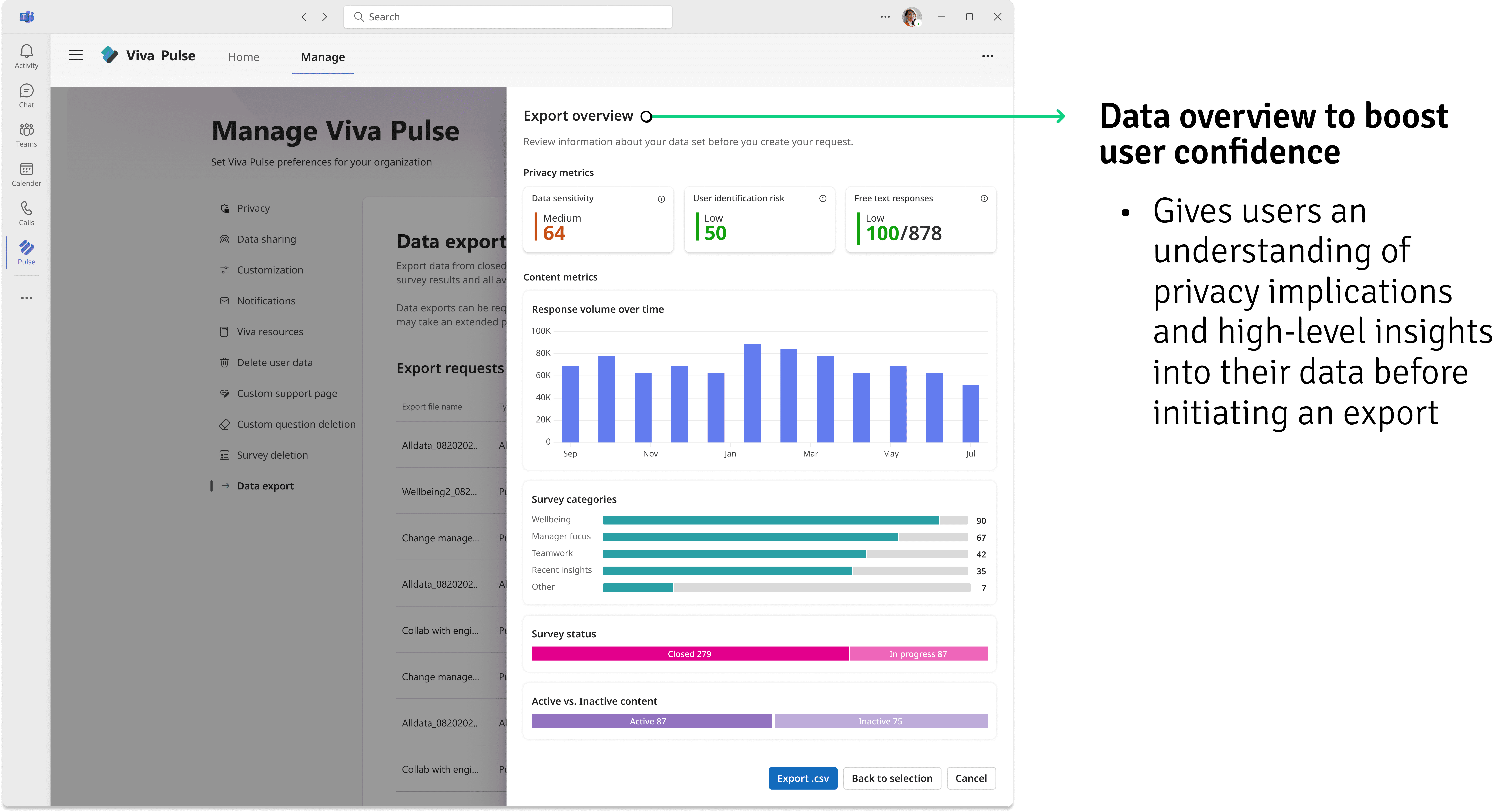
Data overview to boost user confidence
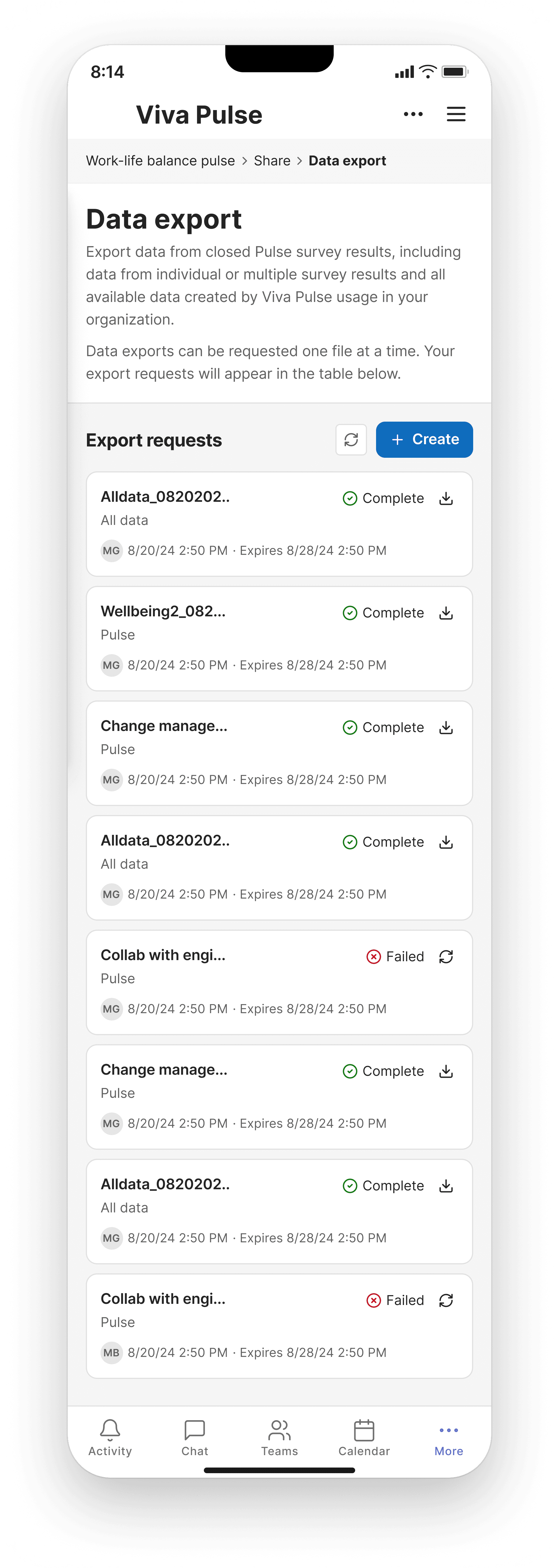
Mobile designs
1
Export landing
2
Guidance Layer

3
Specifying Data

Key impacts
43% ticket drop
19 key customers adopted product
NEXT PROJECT